Introduction
Have you ever wondered if it's possible to print without a computer? Traditionally, printers have relied on a connection to a computer for print jobs. However, printers without computers are becoming more popular for their convenience and flexibility. In this article, we will explore how these printers work and the benefits they offer for different users.
What Does "Printer Without Computer" Really Mean?
Definition of Standalone Printers or Computer-Free Printers
A printer without a computer, also known as a standalone printer, refers to a printing device that can operate independently, without the need for an attached computer or laptop. These printers are designed with built-in functionality that allows them to perform printing tasks directly from external devices such as smartphones, tablets, memory cards, or USB drives. By bypassing the need for a computer, these printers offer greater flexibility and ease of use, making them ideal for both personal and professional environments where space, time, or computer resources are limited.
Standalone printers are not limited to basic printing tasks; they often come equipped with additional features such as mobile printing, direct connectivity to cloud storage, and even the ability to print documents from USB devices. The focus of these printers is on simplicity, portability, and versatility.
How These Printers Function Independently, Using Wireless, USB, or Memory Card Options
Standalone printers are equipped with various connectivity options that enable them to function without being connected to a computer. These options include:
● Wireless Printing: Many modern standalone printers support wireless printing through Wi-Fi or Bluetooth. This allows users to print directly from their smartphones, tablets, or even cloud-based services such as Google Drive or Dropbox. Wireless printers often come with mobile apps that enable easy print management, making it convenient to print documents and images from anywhere within the printer's range.
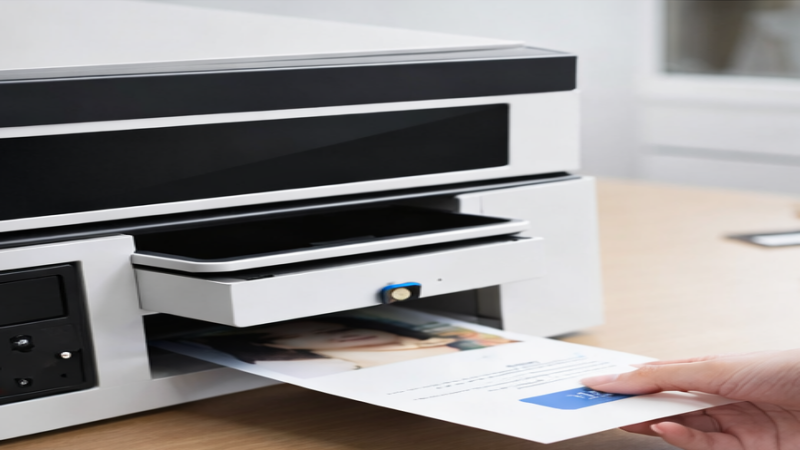
● USB Connectivity: Another common method for using a printer without a computer is by connecting external storage devices such as USB drives. Some printers have built-in USB ports that allow users to insert a USB flash drive, select the files to print, and initiate the printing process directly from the device. This option is particularly useful for quick prints or when working in environments where a computer is not readily available.
● Memory Card Printing: Many printers are also designed with memory card slots (such as SD cards) that allow users to print directly from a camera or storage card. By inserting the card into the printer, users can select and print photos, documents, or other files without the need for a computer. This feature is especially popular among photographers and those who need to print images on-the-go.
Types of Printers That Don’t Require a Computer
Mobile Printing: Wireless printing from smartphones or tablets
One of the most popular ways to print without a computer is through mobile printing. Many modern printers are equipped with wireless capabilities that allow users to print directly from their smartphones or tablets. This can be done through technologies such as Wi-Fi or Bluetooth, making it easy to send documents, images, or other files directly to the printer without needing to be connected to a computer.
For example, SHK's printer supports remote printing via smartphone apps, allowing users to print directly from their mobile devices. This convenience is particularly useful in environments where space is limited or where a computer is not readily available, such as in small businesses or on-the-go printing scenarios.
Memory Card and USB Printing: Direct printing from external storage devices
Another way to print without a computer is through memory card and USB printing. Many printers are equipped with slots for USB drives or memory cards, allowing users to print directly from these external storage devices. This eliminates the need to transfer files to a computer first, offering a faster and more straightforward printing process.
Users can simply insert a USB drive or memory card containing their files into the printer, select the document or photo to be printed, and start the printing process. This feature is particularly useful for photographers, retail environments, or anyone who needs to quickly print documents from portable storage devices.
All-in-One Printers: Multi-function printers that allow scanning, copying, and printing without a computer
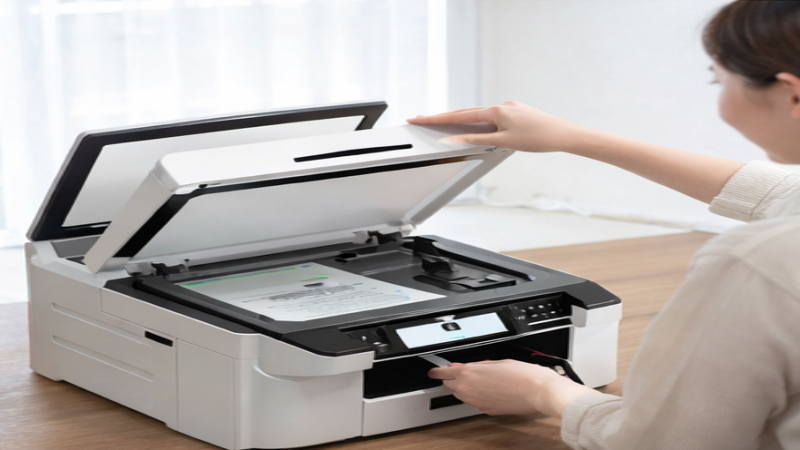
All-in-one printers are another example of standalone devices that don’t require a computer to function. These printers combine multiple functionalities, such as scanning, copying, and printing, all in a single machine. Many all-in-one models come with built-in control panels or touchscreens, allowing users to operate the printer directly without needing a connected computer.
These printers can handle a variety of tasks, from scanning documents to copying materials, making them ideal for home offices or small businesses where space and time efficiency are crucial. Some advanced models even support direct printing from cloud services, enabling users to access and print files without needing to use a computer.
Specialty Printers: Handheld printers, thermal printers, and portable photo printers
Specialty printers, such as handheld printers, thermal printers, and portable photo printers, offer additional options for printing without a computer. These printers are designed for specific, often on-the-go, tasks and allow users to print directly from mobile devices or stored files.
Printer Type | Description | Ideal Use Cases | Key Features |
Handheld Printers | Compact and portable, these printers print directly onto various materials such as text, images, barcodes, and labels. | Retail, logistics, and on-the-go printing needs | Portable, prints on a variety of surfaces, ideal for small tasks |
Thermal Printers | Often used for printing receipts, labels, and barcodes without requiring a computer. Some models feature smartphone app control. | Retail, shipping, and barcode labeling | Fast printing, does not need a computer, some models support apps |
Portable Photo Printers | Designed for quick, on-the-spot photo printing, these printers allow direct printing from smartphones or cameras without needing a computer. | Photography, events, travel, or quick photo prints | Direct printing from mobile devices, compact design |
The Rise of Wireless and Cloud Printing
Overview of Wireless Technologies Enabling Computer-Free Printing: Wi-Fi, Bluetooth, and NFC
Wireless technologies have transformed the way we print, making computer-free printing not only possible but also convenient. With the rise of Wi-Fi, Bluetooth, and NFC (Near Field Communication), users no longer need to rely on a physical computer connection to print documents. These technologies allow printers to connect directly to other devices such as smartphones, tablets, and laptops, enabling seamless printing from virtually anywhere.
● Wi-Fi allows printers to connect to a local network, enabling devices on the same network to print without cables.
● Bluetooth facilitates short-range communication between devices, ideal for mobile printing without needing an internet connection.
● NFC allows for quick pairing between devices by simply bringing them close together, providing a straightforward solution for direct printing, particularly for small-scale and personal tasks.
Cloud Printing: Printing Directly from Cloud Storage Like Google Drive or Dropbox
Cloud printing has become a crucial part of the computer-free printing landscape, allowing users to send print jobs directly from cloud storage platforms like Google Drive or Dropbox. This eliminates the need for a local computer or network connection. With cloud printing, documents are stored and accessed in the cloud, and users can print them from anywhere with an internet connection.
This feature offers tremendous flexibility for businesses and individuals who need to print from remote locations or from multiple devices. As long as the printer supports cloud printing and is connected to the internet, users can send documents to print without worrying about the device they are using.
Benefits of Wireless and Cloud Printing for Flexibility and Convenience
Wireless and cloud printing technologies offer several advantages that significantly enhance printing flexibility and convenience:
● Increased Mobility: Users can print from smartphones, tablets, or laptops without needing to be physically connected to a printer. This is especially useful for people on the go, such as business travelers or remote workers.
● Space Savings: With wireless and cloud printing, the need for physical computer connections and cables is minimized, which helps save space, particularly in offices or small work areas.
● Convenient Multi-device Printing: Wireless printing enables users to send print jobs from multiple devices, making it easier to print from any device at any time.
● Remote Printing: Cloud printing allows users to send print jobs from anywhere, whether from home, the office, or while traveling, offering unparalleled convenience and flexibility.
Advantages of Using a Printer Without a Computer
Convenience: Print Directly Without the Need to Power Up a Computer
One of the most significant advantages of printers without computers is their convenience. Users can initiate print jobs without waiting for a computer to boot up. This eliminates the need for connecting devices or loading printing applications. Whether printing a photo from a smartphone, documents from a USB drive, or files from cloud storage, these printers enable quick, on-demand printing with minimal setup. This feature is particularly beneficial for those who need fast results without the hassle of connecting to a computer.
Space Efficiency: Reduces the Need for Bulky Desktop Setups
Printers that don’t require a computer help improve space efficiency. Traditional printing setups often involve bulky desktop systems, monitors, and cables that take up valuable desk space. In contrast, standalone printers are compact, freeing up room for other equipment. This is ideal for smaller workspaces, home offices, or areas with limited space. Standalone printers can be placed anywhere, increasing their versatility and suitability for on-the-go use.
Time-Saving: Eliminates the Need for Connecting to a Computer and Waiting for Tasks
Another major benefit is the time-saving aspect. Traditional printers require a connection to a computer, which can sometimes be time-consuming. Standalone printers allow for faster, direct printing using wireless technologies or direct connections like USB drives or memory cards. This eliminates delays and is especially beneficial in fast-paced environments like retail or hospitality, where speed is essential.
Portability: Compact and Mobile Printers That Can Be Used Anywhere
Standalone printers are often designed to be compact and portable, making them ideal for various environments. Whether printing on-site at a construction project or in a remote office, these mobile printers provide flexibility for on-the-go printing. SHK's UV printer, for example, is lightweight, making it easy to transport and use in different environments, which enhances efficiency and mobility.
Business Applications: How These Printers Work in Retail, Logistics, and POS Systems
Printers without computers are particularly valuable in business settings. In retail, these printers can directly print receipts, labels, and invoices without needing a computer. In logistics, standalone printers allow for direct printing of shipping labels and barcodes from mobile devices or storage devices. This streamlines operations, reduces dependence on computers, and enhances efficiency in fast-paced business environments.
Cost Efficiency: Reduces Reliance on Computers and Enhances Workflow Efficiency
Using a printer without a computer is often more cost-effective. Businesses that rely on computers for printing tasks incur additional costs for both the computers and the printers. By switching to standalone printers, businesses can reduce costs, particularly in terms of maintenance and software. Additionally, by eliminating the need to manage multiple devices, workflows become more streamlined, improving overall efficiency and cutting down on administrative tasks.
Specific Business Types: Best Suited for Small Businesses, Mobile Offices, or On-the-Go Professionals
Standalone printers are particularly suited for businesses that prioritize mobility and flexibility. Small businesses, such as food vendors or pop-up shops, benefit from the simplicity and speed of these printers. Mobile offices and on-the-go professionals, such as consultants, real estate agents, and photographers, find portable printers invaluable for printing documents, contracts, or photos in the field. These printers allow businesses to operate efficiently no matter their location.
Key Considerations When Choosing a Printer Without a Computer
Printing Needs: What Will You Primarily Print—Documents, Photos, Labels, or Other Items?
When selecting a printer without a computer, it's essential to first identify your printing needs. Different printers are designed for different tasks, and understanding what you will primarily print can help you choose the most suitable model. For example, if you need to print documents frequently, an inkjet or laser printer may be ideal. However, if you're more focused on printing photos, a portable photo printer would be more appropriate.
Printing Task | Ideal Printer Type | Key Features |
Documents | Inkjet or Laser Printer | Efficient for text printing, high-volume document printing |
Photos | Portable Photo Printer | Wireless capabilities, optimized for photo-quality prints |
Labels | Thermal Label Printer | High-speed, designed for printing labels, barcodes, and tags |
Other Items | Specialty Printers (Handheld, UV) | Direct printing from mobile devices or external storage |
Connectivity Options: Check for Wi-Fi, Bluetooth, and USB Ports for Seamless Operation
When choosing a printer without a computer, evaluating its connectivity options is crucial. These printers rely on wireless or direct connections to function without the need for a computer. Ensure the printer you choose supports the appropriate connectivity methods:
● Wi-Fi: This option allows the printer to connect to your local network, enabling multiple devices (smartphones, tablets) to print wirelessly.
● Bluetooth: Ideal for short-range communication, Bluetooth-enabled printers allow direct printing from mobile devices within a limited range.
● USB Ports: Some printers support USB drives, allowing you to print directly from external storage without a computer.
Make sure the printer supports easy-to-use connectivity options for seamless operation, especially if you plan to print from various devices.
Portability and Size: Consider Compact, Mobile Printers for On-the-Go Use
Portability is one of the key advantages of printers without a computer. If you need a mobile printer that you can easily transport, choose a compact model that suits your printing needs on the go. Whether you're a frequent traveler, a photographer, or someone working from a mobile office, a portable printer offers significant advantages.
● Compact Design: Look for lightweight, easy-to-carry printers, especially if you plan to move it frequently.
● Battery-Powered: Some models come with built-in rechargeable batteries, allowing you to print anywhere without needing to plug into an outlet.
A smaller, mobile printer will give you the flexibility to print from virtually any location without being constrained by space or power sources.
Ease of Use: Look for Intuitive Interfaces and User-Friendly Designs
Another important factor when choosing a printer without a computer is ease of use. Since these printers do not rely on computers for printing, they should feature user-friendly interfaces that make operation straightforward. Look for models with:
● Touchscreen controls: Many standalone printers now come with intuitive touchscreens for quick navigation and operation.
● Simplified setup: Consider models that are easy to set up and connect with minimal steps.
● Clear display screens: Ensure that the printer has a clear and easy-to-read screen that shows important information such as print status, paper levels, and error notifications.
Print Speed and Quality: Ensure the Printer Meets Your Quality Requirements for Fast Results
Print speed and print quality are critical considerations, especially if you plan to use the printer frequently. A good printer should deliver high-quality prints without taking too long to complete tasks.
● Print Speed: If you need to print a large number of documents, look for a printer with a high pages per minute (PPM) rate.
● Print Quality: Ensure that the printer delivers sufficient resolution (e.g., 1200x1200 dpi for clear text or images) for your needs.
Conclusion
Printers without computers offer flexibility and convenience, allowing users to print directly from devices like smartphones, USB drives, or memory cards. These printers are particularly useful in environments where space or computer resources are limited. Dongguan Shenghuang Science And Industry Co., Ltd. provides standalone printers that are compact, portable, and easy to use, making them ideal for mobile printing and small businesses. Consider a standalone printer for efficient and on-demand printing needs.
FAQ
Q: What is a printer without a computer and how is it used in industrial settings?
A: A printer without a computer operates independently, allowing direct printing from mobile devices, USB drives, or cloud storage. It is useful in industrial settings where space and resources are limited.
Q: What are the benefits of using a printer without a computer in a business environment?
A: A printer without a computer reduces dependency on PCs, streamlines operations, and improves efficiency, especially in mobile or remote settings.
Q: How does a printer without a computer affect operational efficiency?
A: It simplifies workflows by enabling quick, direct printing without needing to set up a computer, which enhances productivity in fast-paced environments.
Q: Are printers without a computer cost-effective for businesses?
A: Yes, printers without a computer reduce hardware and software costs by eliminating the need for a connected PC, offering a more efficient solution for routine printing tasks.
Q: What maintenance considerations are there for a printer without a computer in industrial use?
A: Printers without a computer generally require less maintenance than traditional setups, as they avoid the need for software updates and PC connections, but regular checks on connectivity and print quality are necessary.


