Have you ever wished to print without the need for a computer? The rise of printers without computers has transformed how we approach printing.
In this article, we will explore the benefits and features of printers without a computer. You’ll learn about the convenience, flexibility, and technological advancements that make these printers ideal for modern users.
Understanding Printers Without Computers
What is a "Printer without a Computer"?
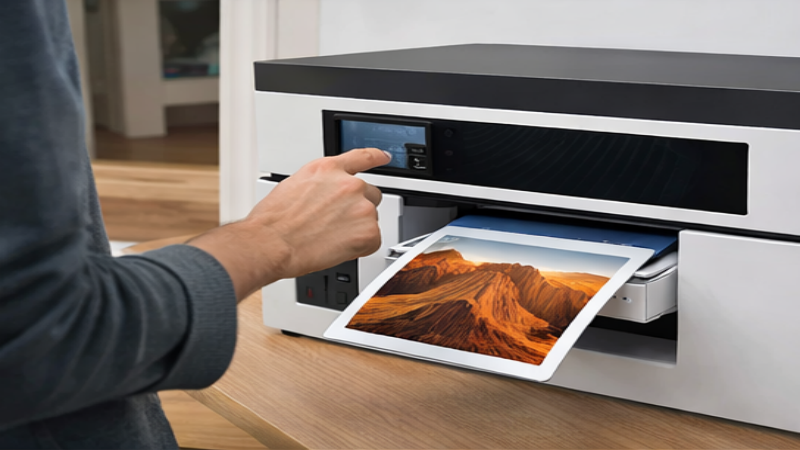
A "printer without a computer" refers to standalone printers that operate independently, without the need for a traditional computer connection. These printers have built-in systems that allow them to print directly from mobile devices, USB drives, memory cards, or even cloud services. The key distinction between standalone printers and traditional printers lies in their ability to function without a PC or laptop. This allows users to bypass the need for complex setups or additional equipment, offering more flexibility and convenience, especially in environments where computers are not readily available.
Key Characteristics that Distinguish These Printers from Traditional Ones
Standalone printers differ from traditional printers in several ways, primarily in their design and functionality:
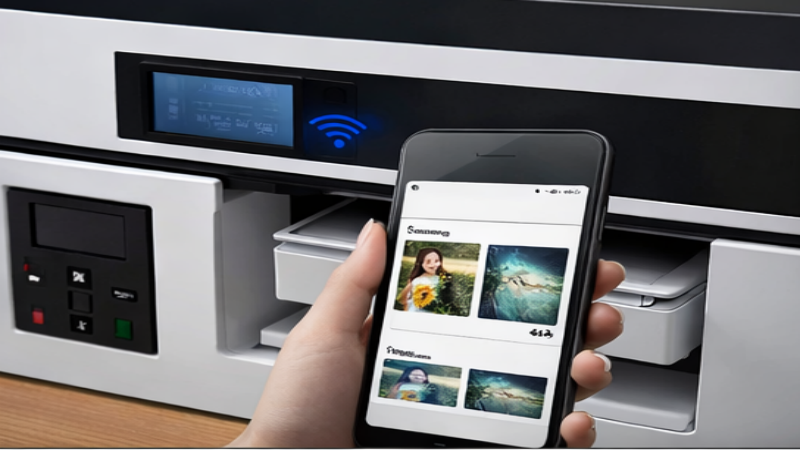
● Built-in Connectivity: Unlike traditional printers that rely on being connected to a computer, standalone printers often feature built-in wireless connectivity options, such as Wi-Fi or Bluetooth. These features allow users to connect directly from their smartphones, tablets, or cloud storage services without the intermediary of a computer.
● Touchscreen Interfaces: Many standalone printers come equipped with user-friendly touchscreen interfaces. These screens enable direct control over printing tasks, making it easy for users to select files, adjust settings, and preview prints—all without the need for a computer.
● Direct Printing from External Devices: Another defining feature is the ability to print directly from external devices like USB drives or memory cards. This eliminates the need to transfer files to a computer, simplifying the printing process for documents, photos, and other materials.
The Rise of Mobile and Cloud Printing Technologies
The demand for printers without computers has been driven in part by the rise of mobile and cloud-based printing technologies. These advancements enable users to print from virtually anywhere, whether they are at home, in an office, or even on the go.
● Mobile Printing: With the proliferation of mobile devices, mobile printing apps have become increasingly common. These apps allow users to print documents and images directly from smartphones and tablets, offering a seamless printing experience without the need for a computer connection.
● Cloud Printing: Cloud printing services, such as Google Cloud Print or similar platforms, have further transformed the printing landscape. Users can now print documents stored in the cloud from anywhere in the world, making it easy to access and print files remotely. This technology eliminates the need for a physical connection to a printer and simplifies the printing process for both personal and business use.
Types of Printers That Operate Independently
Wireless Printers
Wireless printers eliminate the need for a physical connection to a computer, allowing users to print from devices like smartphones, tablets, and laptops using wireless technologies such as Wi-Fi, Bluetooth, and Wi-Fi Direct.
● Wi-Fi Connectivity: Most modern printers are equipped with Wi-Fi, enabling them to connect to a local network. This allows printing from any device on the same network, whether at home or in an office.
● Bluetooth and Wi-Fi Direct: Bluetooth technology lets printers connect to mobile devices directly. Wi-Fi Direct allows a direct connection between the printer and the device, bypassing the need for a router.
Wireless printers provide flexibility, allowing users to print from various devices and even print remotely. This is especially useful in offices, classrooms, and homes with multiple users.
Portable and Mobile Printers
Portable and mobile printers are compact, lightweight devices ideal for on-the-go printing. These include photo printers, thermal label printers, and handheld printers.
● Portable Photo Printers: These printers print photos directly from smartphones or cameras. With Bluetooth or Wi-Fi connectivity, they offer quick photo printing, perfect for events or travel.
● Thermal Label Printers: Portable thermal printers are commonly used in retail and logistics for printing labels, receipts, and tickets directly from mobile devices.
● Handheld Printers: Handheld printers are small, battery-operated devices capable of printing on various materials. These are often used for printing barcodes, QR codes, and text on the go.
These mobile printers offer convenience and flexibility, making them ideal for various applications that require portability.
Direct Printing from Storage Devices
Many standalone printers can print directly from USB drives or SD cards, bypassing the need for a computer entirely.
● USB and SD Card Printing: Users can connect their USB drives or SD cards directly to the printer, enabling printing from these storage devices without transferring files to a computer.
● Advantages: This feature streamlines the printing process, making it quick and easy to print documents or photos. It also enhances privacy, as files are printed directly from the storage device without going through a computer.
Direct printing is particularly useful in settings like photo printing kiosks or retail stores, where speed and simplicity are essential.
Cloud-Connected Printers
Cloud-connected printers allow printing from any location, as long as the printer is connected to the internet.
● Cloud Printing: Cloud services like Google Cloud Print and Dropbox let users upload documents to the cloud and print them remotely. This means users don’t need to be physically near the printer.
● Benefits: Cloud-connected printers offer flexibility, making them ideal for remote workers, business teams, or users who travel frequently. They simplify the printing process and eliminate the need for a local network setup.
Cloud printing is becoming increasingly popular due to its convenience and ability to print from virtually anywhere.
Key Benefits of Printing Without a Computer
Convenience and Flexibility
Printing without a computer offers significant convenience, particularly with the ability to print directly from smartphones, tablets, or cloud-based platforms. Wireless printers allow seamless connections to mobile devices via Wi-Fi, Bluetooth, or Wi-Fi Direct, enabling users to print documents or photos without needing a dedicated computer. This removes the complexities of computer setup and file transfers, streamlining the printing process.
Moreover, the flexibility of printing from various devices means that users can print from almost anywhere. Whether you are at home, at the office, or traveling, you can send your print jobs directly to the printer, providing unmatched convenience for modern users.
Portability
For professionals on the go, portable printers are a game-changer. These compact devices offer the ability to print while traveling, whether it’s printing documents for meetings or photos for events. Handheld printers, portable photo printers, and mobile label printers are specifically designed to be lightweight and easy to carry, offering significant advantages for users who need to print in different locations.
Portable printers are particularly useful in industries like logistics, retail, and field services, where printing needs to be done on-site. Instead of relying on a fixed computer or printer setup, mobile printing allows workers to stay productive even when they are out of the office, ensuring printing can be completed at the point of need.
Cost Savings
One of the often-overlooked benefits of printing without a computer is the potential for cost savings. By eliminating the need for a desktop computer to manage print tasks, businesses and individuals can reduce hardware dependencies. In environments where multiple users share a printer, the absence of a computer reduces the need for additional setups and maintenance.
Furthermore, standalone printers that operate independently from a computer tend to be more affordable over time since they require less technical infrastructure and are simpler to set up. This can help small businesses or individuals save on both initial costs and long-term maintenance expenses.
Considerations When Choosing a Printer Without a Computer
Printing Needs
When choosing a printer without a computer, consider the type of documents you plan to print. This will help you select a printer that best suits your needs.
Document Type | Recommended Printer Type | Key Features |
Photos | Portable photo printers | High resolution, color accuracy, direct mobile printing |
Labels | Thermal label printers | Quick, efficient label printing, no computer required |
Receipts | Receipt printers | Ideal for businesses, direct printing from mobile devices |
Connectivity Options
Connectivity is crucial when choosing a printer that doesn’t need a computer. Standalone printers offer multiple connection options that ensure flexibility and ease of use.
● Wi-Fi: Allows printing from any device on the same network, offering convenience for multiple users.
● Bluetooth: Enables wireless printing from smartphones or tablets, eliminating the need for a computer or complex setup.
● USB and SD Cards: Many printers support direct printing from USB drives or SD cards, making it quick and easy to print without connecting to a computer.
● Cloud Compatibility: Cloud-connected printers allow remote printing through services like Google Cloud Print or Dropbox, offering flexibility when printing from various devices.
Choosing the right connectivity option ensures seamless integration with your devices, simplifying the printing process.
Portability and Size
Portability and size are key considerations when selecting a printer without a computer, especially if you need a printer that can be used on the go or in tight spaces.
● Portable Printers: Compact and lightweight, these are ideal for professionals who need to print on the move. They are especially useful for fieldwork, such as printing receipts or invoices while traveling.
● Size Considerations: Smaller printers are perfect for home offices or spaces with limited room, while larger models may be better suited for high-volume printing in a business setting.
Selecting the right size and portability features ensures that the printer suits your environment and usage needs.
Ease of Use
Simplicity and user-friendly features are essential for many users. Printers without computers are often designed with intuitive interfaces that make them easy to operate.
● Touchscreens: Many standalone printers come with touchscreens, allowing you to navigate settings and manage tasks with ease.
● Mobile Apps: Dedicated mobile apps for printers enable users to control the printing process directly from their smartphones or tablets. These apps often include additional features like document preview before printing.
Future of Printer Technology Without a Computer
Technological Advancements
The future of computer-free printing technology is shaped by advancements that enhance wireless connectivity and standalone capabilities. As wireless technologies such as Wi-Fi, Bluetooth, and Wi-Fi Direct continue to improve, printers are becoming more capable of connecting directly to devices like smartphones, tablets, and cloud services. This eliminates the need for a computer, allowing users to print remotely and directly from their mobile devices or cloud platforms.
Technology | Key Benefit | Use Case |
Wi-Fi | Connects devices over a local network | Home/office printing |
Bluetooth | Enables wireless connection from mobile devices | Printing from smartphones/tablets |
Wi-Fi Direct | Direct connection between devices and printer | Eliminates need for a router |
Standalone printing capabilities are also on the rise, allowing users to print directly from mobile devices or storage media like USB drives or SD cards, further removing the need for a computer.
The Role of AI and Smart Apps in the Future
Artificial intelligence (AI) and smart apps are set to play a crucial role in the future of computer-free printing. AI-powered printers are expected to enhance the printing experience by automating tasks such as document formatting, color correction, and even choosing the optimal printing settings based on the content being printed. This will allow users to achieve high-quality results with minimal effort.
Moreover, smart mobile apps will continue to improve the usability of printers. These apps will not only enable printing from smartphones or tablets but also allow for advanced features such as real-time print job monitoring, ink and paper level tracking, and remote troubleshooting. As these apps become more sophisticated, users will enjoy a more intuitive, streamlined printing experience, making it easier to manage print tasks without a computer.
The combination of AI and smart apps will make computer-free printers more intelligent, efficient, and user-friendly, leading to greater adoption in both personal and business environments.
Conclusion
Printers that operate without a computer offer great convenience and flexibility. These printers allow users to print directly from mobile devices, USB drives, or cloud services without needing a computer. Dongguan Shenghuang Science And Industry Co., Ltd. provides a compact, intelligent printer that operates independently, ideal for small businesses or personalized printing needs. This product offers high-quality printing without the complexity of using a computer, making it a valuable choice for many users.
FAQ
Q: What is a printer without a computer, and how does it work in industrial settings?
A: A printer without a computer operates independently, allowing users to print directly from mobile devices, USB drives, or cloud services without needing a connected PC. In industrial settings, this capability reduces reliance on centralized systems and enhances operational flexibility.
Q: What are the primary use cases for a printer without a computer in manufacturing?
A: These printers are ideal for on-site printing tasks such as labeling, receipt printing, or custom part marking. Their standalone functionality increases efficiency and streamlines workflows in production environments.
Q: How does the cost of a printer without a computer compare to traditional models?
A: While the upfront cost of a printer without a computer may be similar to traditional models, the long-term savings come from reduced dependency on computer systems, lower IT maintenance costs, and faster deployment.
Q: Are there any operational limitations when using a printer without a computer in a business environment?
A: The primary limitation is the reduced customization compared to computer-connected printers. However, for most standard printing tasks like labels or receipts, standalone printers provide adequate functionality without the need for a computer.
Q: What are the maintenance requirements for a printer without a computer in a high-volume environment?
A: Maintenance for these printers is generally straightforward, with fewer IT-related issues. However, regular maintenance, such as ink or toner replacements and cleaning, is still necessary to ensure consistent performance.


